
rancher2.12+ failed to find chartName <name>:<version>: NotFound 404
本文永久链接: https://www.xtplayer.cn/rancher/rancher2-12-failed-to-find-chartname-name-version-notfound-404/
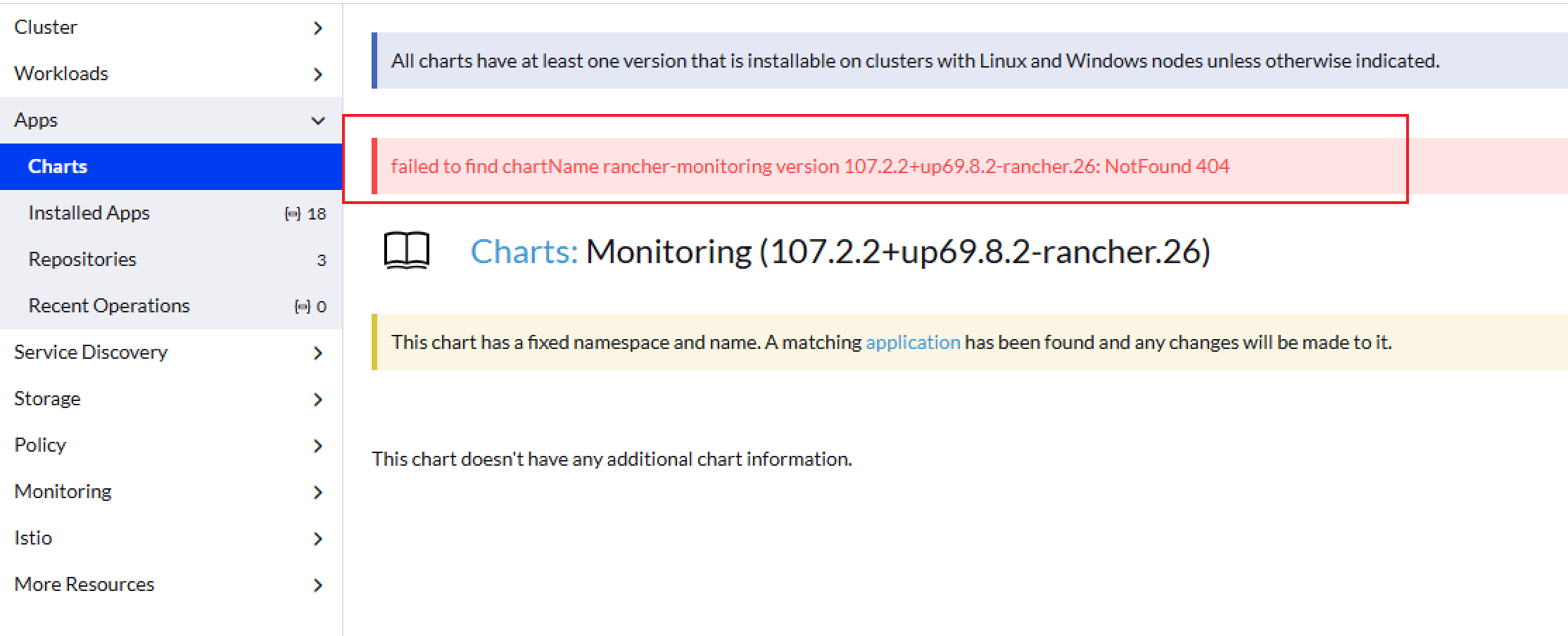
如图,在 rancher ui 更新/安装 App 时有时可能会出现 failed to find chartName <name>:<version>: NotFound 404 的错误。
问题分析
出现这个问题,是因为下游集群 cluster agent pod 中没有找到对应的 chart 文件。可以进入 cluster agent pod shell,再 cd 进入 /var/lib/rancher-data/local-catalogs/v2/rancher-charts/xxxx ,查看是否有 chart 文件,两个 cluster agent pod 都需要查看。
排查步骤
检查 chart 仓库是否都为 Active
进入 集群管理|高级选项|Chart 仓库,检查所有 Chart 仓库是否都为 Active 状态。在非离线模式部署的架构下,chart 文件会在线拉取。如果无法访问公共 git 仓库,将导致无法获取 chart 文件。如果在线模式架构下而无法正常访问公共 git 仓库,chart 仓库可能会出现连接被拒绝或者连接超时的错误。这种情况建议检查出口网络防火墙配置。
如果确实无法访问公共 git 仓库,可以尝试切换到 rancher 离线模式。在 helm 安装 rancher 时,添加 --set useBundledSystemChart=true 。
检查 env CATTLE_SYSTEM_CATALOG
为了满足离线环境部署 App chart,rancher、rancher-agent 镜像内置了 chart 缓存。在通过 helm 安装 rancher 时,添加 --set useBundledSystemChart=true 会自动给 rancher pod 添加环境变量 CATTLE_SYSTEM_CATALOG=bundled,这将使 rancher 使用内置的 chart 缓存。并且在 rancher 2.12 之前的版本中,环境变量 CATTLE_SYSTEM_CATALOG=bundled 也将同步到下游集群的 cluster agent。
在 rancher 2.12+ 版本中因为架构变动,通过 helm 安装 rancher 添加 --set useBundledSystemChart=true 会自动给 rancher pod 添加环境变量 CATTLE_SYSTEM_CATALOG=bundled,但是这个环境变量不会再传递给下游集群的 cluster agent pod。
当前存在一个bug,https://github.com/rancher/rancher/issues/56260。下游集群的 settings.management.cattle.io system-catalog 配置的值为 bundled 时,会导致下游集群的两个 cluster agent pod,一个 pod 有 chart 文件,一个 pod 没有 chart 文件。在 rancher ui 安装\升级 App 时,随即出现 failed to find chartName <name>:<version>: NotFound 404 错误。
处理方法
在下游集群中执行以下命令,其中 value 的值应该为空。
kubectl get settings.management.cattle.io system-catalog -oyaml |
如果查询的值不为空,
编辑下游集群配置,查看 Agent env 配置中是否添加了 env
CATTLE_SYSTEM_CATALOG=bundled。如果有,将其删除。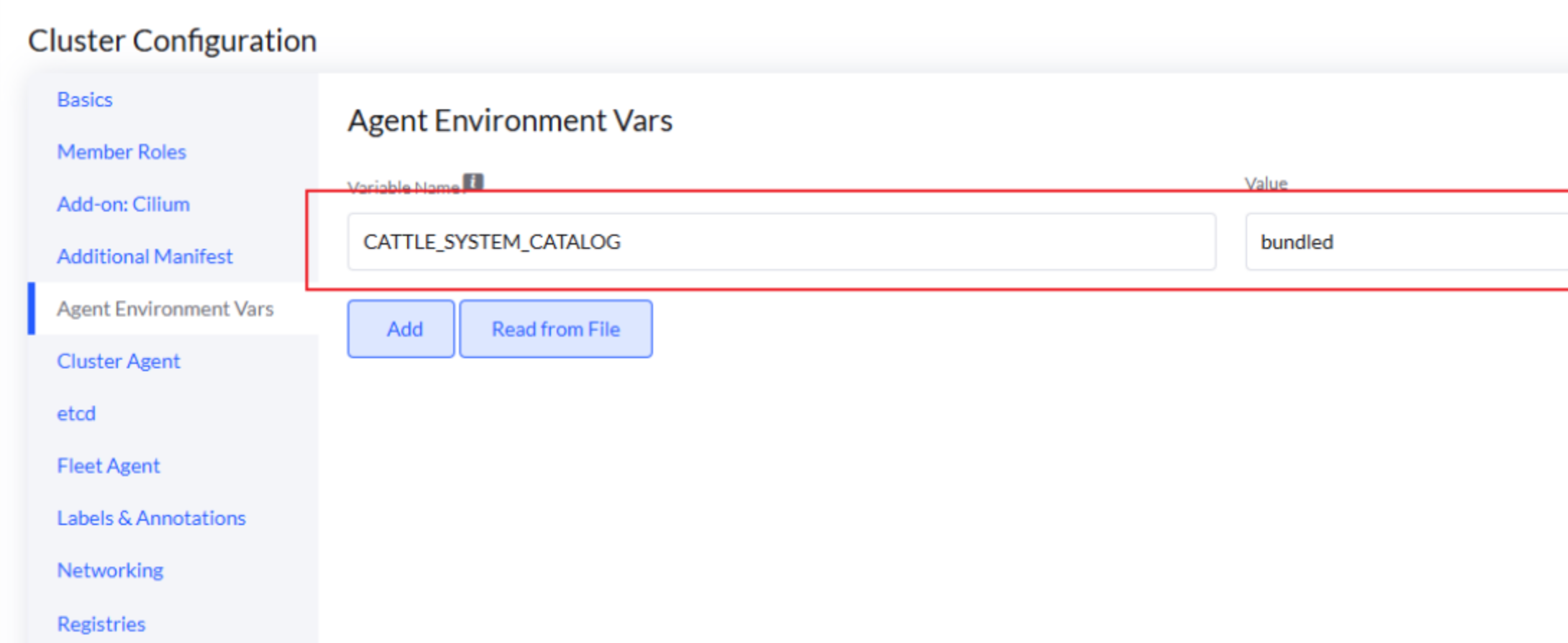
在下游集群,使用以下命令修改 value 值为空。
kubectl patch settings.management.cattle.io system-catalog --type='merge' -p '{"value":""}' |
 wechat
 alipay